Information
Clicking on the info icon in the navigation will guide you to the following page:
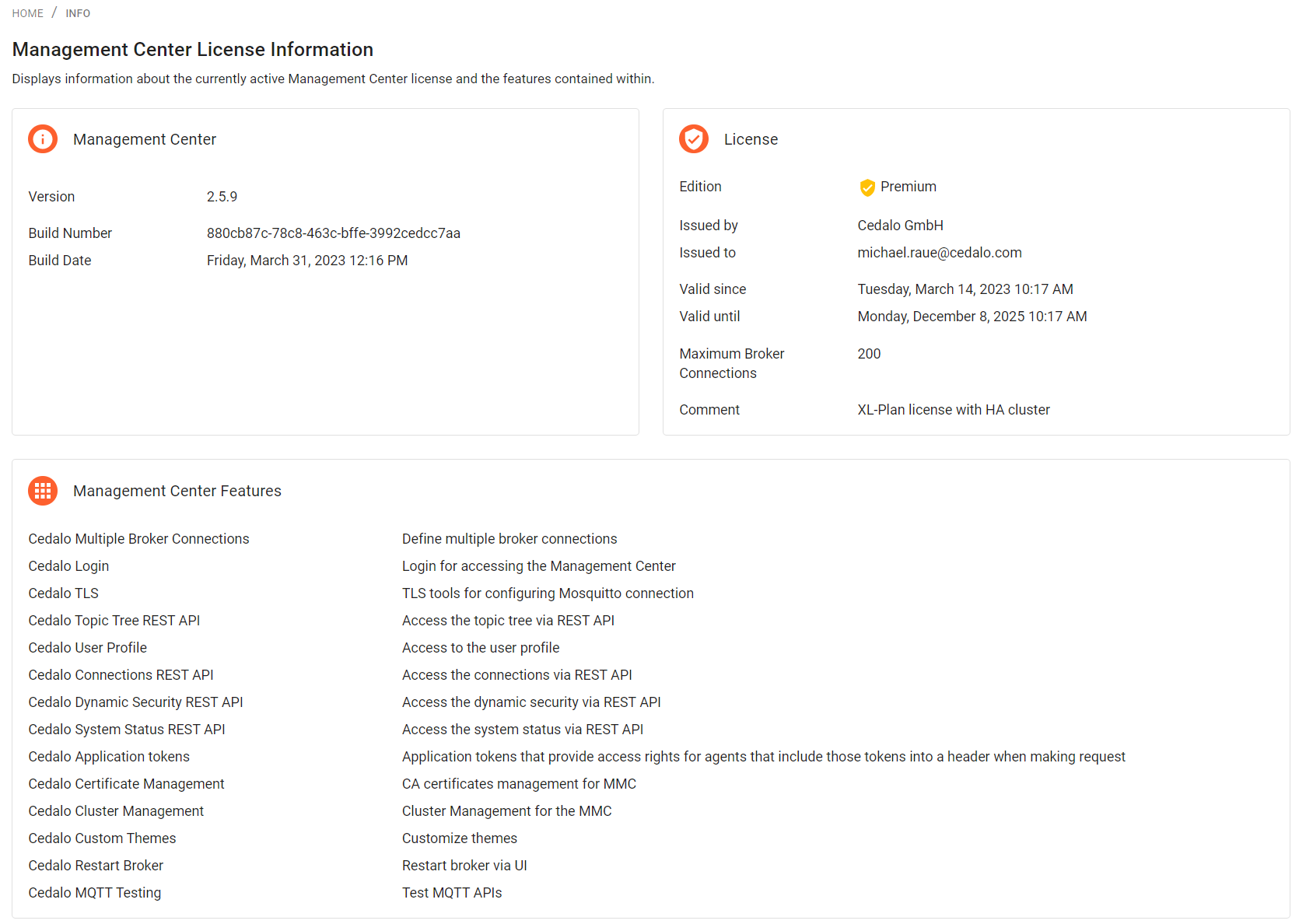
Three sections are displayed, Management Center, License and Management Center Features.
Management Center
- Version shows the current Version Number
- Build Number displays the unique build id of the installed version
- Build Date displays the date of the build
License
- Edition shows the version type like e.g. 'Premium'
- Issued By and Issued to shows the license origin and to whom the license is issued to
- Valid since shows the date, the license was created
- Valid until shows the date, when the current license expires
- Maximum Broker Connections lists the maximum allows Broker Connection, you can manage using the Management Center
- Comment is usually a description of the license
Management Center Features
In this section all licensed and activated features are listed. Some Features depend on plugins that need to be activated. They can only be activated, if the license allows that.