Terminal
The terminal page allows to execute commands executed on the current broker connection to modify dynamic security settings or retrieve information about the existing settings. Simply type one of below listed commands to achieve that. You can also type 'help' to get a list of valid commands and if you add '--help' to a command, the help for that command is displayed.
See here for a detailed description of the concepts of the dynamic security feature.
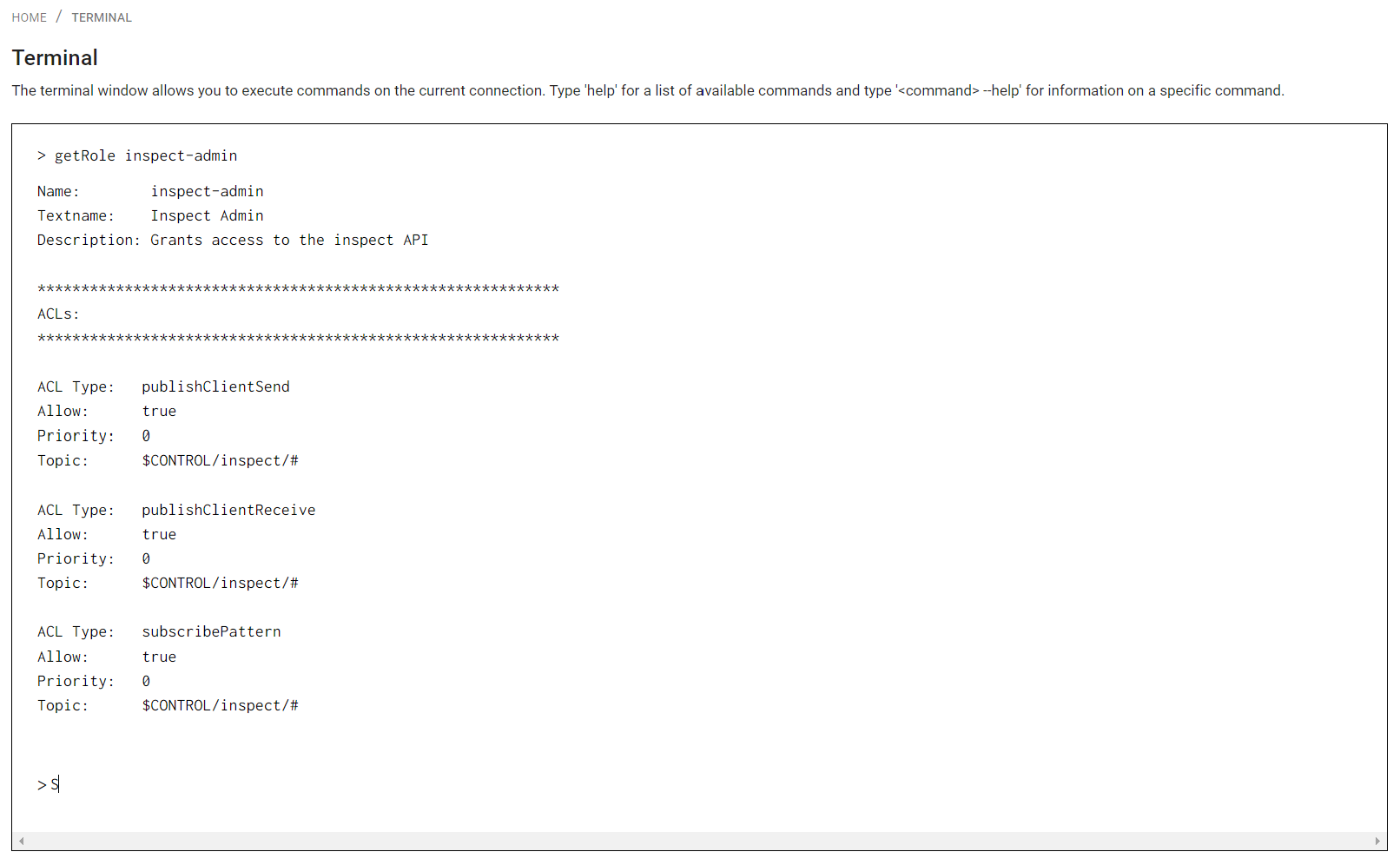
The following commands are available in the terminal. Click on the command to get more information.
Clients
Groups
- addGroupClient
- addGroupRole
- createGroup
- deleteGroup
- getAnonymousGroup
- getGroup
- listGroups
- modifyGroup
- removeGroupClient
- removeGroupRole
- setAnonymousGroup
Roles
- addRoleACL
- createRole
- deleteRole
- getDefaultACLAccess
- getRole
- listRoles
- modifyRole
- removeRoleACL
- setDefaultACLAccess
createClient
Create a new client.
Syntax
createClient <name> <password> <clientid> <rolename> <textname> <description>
Arguments
| Name | Description |
|---|---|
| name | Name of new client |
| password | Password of new client |
| clientid | Unique client Id |
| textname | Optional. Additional name |
| description | Optional. Description for the client |
deleteClient
Delete a client
Syntax
deleteClient <name>
Arguments
| Name | Description |
|---|---|
| name | Name of client to delete |
disableClient
Disable or disconnect a client
Syntax
disableClient <name>
Arguments
| Name | Description |
|---|---|
| name | Name of client to disconnect |
enableClient
Enable or connect a client
Syntax
enableClient <name>
Arguments
| Name | Description |
|---|---|
| name | Name of client to connect or enable |
getClient
Get the details for a client
Syntax
getClient <name>
Arguments
| Name | Description |
|---|---|
| name | Name of client to retrieve infos for |
Return
Returns name, textname, id, roles and groups of client, if client exists.
listClients
List all clients
Syntax
listClients
Arguments
None.
Return
List of all clients separated by line-feeds.
modifyClient
Apply changes to an existing client.
Syntax
modifyClient <name> <password> <clientid> <textname> <description>
Arguments
| Name | Description |
|---|---|
| name | Name of client to modify |
| password | Password of client |
| clientid | Unique client Id |
| textname | Optional. Additional name |
| description | Optional. Description for the client |
addGroupClient
Add a client to a group
Syntax
addGroupClient <name> <groupname> <priority>
Arguments
| Name | Description |
|---|---|
| name | Name of client to add |
| groupname | Name of group to add client to |
| priority | TODO |
addGroupRole
Add a role to a group
Syntax
addGroupRole <groupname> <rolename> <priority>
Arguments
| Name | Description |
|---|---|
| groupname | Name of group |
| rolename | Name of role to assign to group |
| priority | TODO |
createGroup
Create a new group.
Syntax
createGroup <name> <rolename> <textname> <description>
Arguments
| Name | Description |
|---|---|
| name | Name of new group |
| name | Role to assign to group |
| name | Optional. Additional text name for group |
| name | Optional. Description for group |
deleteGroup
Delete a group
Syntax
deleteGroup <name>
Arguments
| Name | Description |
|---|---|
| name | Name of group to delete |
getAnonymousGroup
Get anonymous group
Syntax
getAnonymousGroup
Arguments
None
Return
Name of current anonymous group.
getGroup
Get the details for a group
Syntax
getGroup <name>
Arguments
| Name | Description |
|---|---|
| name | Name of group to retrieve infos for |
Return
Return name, textname, description, roles and clients of the group.
listGroups
List all groups
Syntax
listGroups
Arguments
None.
Return
List all groups separated by line-feeds.
modifyGroup
Modify a group
Syntax
modifyGroup <name> <textname> <description>
Arguments
| Name | Description |
|---|---|
| name | Name of group to modify |
| textname | New additional text name for group |
| description | New description for group |
removeGroupClient
Remove a client from a group
Syntax
removeGroupClient <clientname> <name>
Arguments
| Name | Description |
|---|---|
| clientname | Name of client to remove from group |
| name | Name of group to delete client from |
removeGroupRole
Remove a role from a group
Syntax
removeGroupRole <name> <rolename>
Arguments
| Name | Description |
|---|---|
| name | Name of group to delete role from |
| rolename | Name of group |
setAnonymousGroup
Set anonymous group
Syntax
setAnonymousGroup <name>
Arguments
| Name | Description |
|---|---|
| name | Name of group to use for anonymous access |
addRoleACL
Add Access control list to role.
Syntax
addRoleACL <name> <acltype> <topic filter> allow|deny <priority>
Arguments
| Name | Description |
|---|---|
| name | Name of role to add ACL to |
| acltype | Valid acltypes are: 'publishClientSend', 'publishClientReceive', 'subscribeLiteral', 'subscribePattern', 'unsubscribeLiteral', 'unsubscribePattern' |
| topic filter | Topic expression to apply ACL for |
| flag | 'allow' or 'deny' |
| priority | TODO |
createRole
Create a new role
Syntax
createRole <name> <textname> <description>
Arguments
| Name | Description |
|---|---|
| name | Name of new role |
| textname | Optional. Additional Name of new role |
| descriptiom | Optional. Description of new role |
deleteRole
Delete a role
Syntax
deleteRole <name>
Arguments
| Name | Description |
|---|---|
| name | Name of role to delete |
getDefaultACLAccess
Get the default ACL access
Syntax
getDefaultACLAccess
Arguments
None.
Return
ACL access flags for 'publishClientSend', 'publishClientReceive', 'subscribe', 'unsubscribe'
getRole
Get the details for a role
Syntax
getRole <name>
Arguments
| Name | Description |
|---|---|
| name | Name of role to get infos for |
Return
Returns name, textname and description for a role and a list of all defined ACLs with their ACL-Type, Allow/Deny flag priority and topic.
listRoles
List all roles
Syntax
listRoles
Arguments
None
Return
List of defined roles separated by line-feeds.
modifyRole
Modify a role
Syntax
modifyRole <name> <textname> <textdescription>
Arguments
| Name | Description |
|---|---|
| name | Name of role to modify |
| textname | New additional name of role |
| description | New description of role |
removeRoleACL
Remove an ACL from a role
Syntax
removeRoleACL <name> <acltype> <topic>
Arguments
| Name | Description |
|---|---|
| name | Name of role to change |
| acltype | Valid acltypes are: 'publishClientSend', 'publishClientReceive', 'subscribeLiteral', 'subscribePattern', 'unsubscribeLiteral', 'unsubscribePattern' |
| topic | Topic to change ACL for |
setDefaultACLAccess
Set the default ACL access.
Syntax
setDefaultACLAccess <acltype> true|false
Arguments
| Name | Description |
|---|---|
| acltype | Type to change. Valid types are 'publishClientSend', 'publishClientReceive', 'subscribe', 'unsubscribe' |
| flag | Flag to enable or disable access |